Platform Modules Reports Playbook Security Contact Book a Demo Start 30-day trial
Shift handover & reporting · Fixed plant mining

Capture the shift. Keep the knowledge. Find it when it matters.

ShiftIntel is shift handover and reporting software for fixed plant mining teams. Crews log the shift in plain language on the phone in their pocket. Follow-ups get an owner. The Schedule 26 handover and the weekly report build themselves from what was actually recorded.

BUILT BY TRADESPEOPLE · TEN YEARS IN WA GOLD PROCESSING · LIVE ON SITE NOW

Mechanical Electrical Operations Supervisors Gold Room Metallurgy
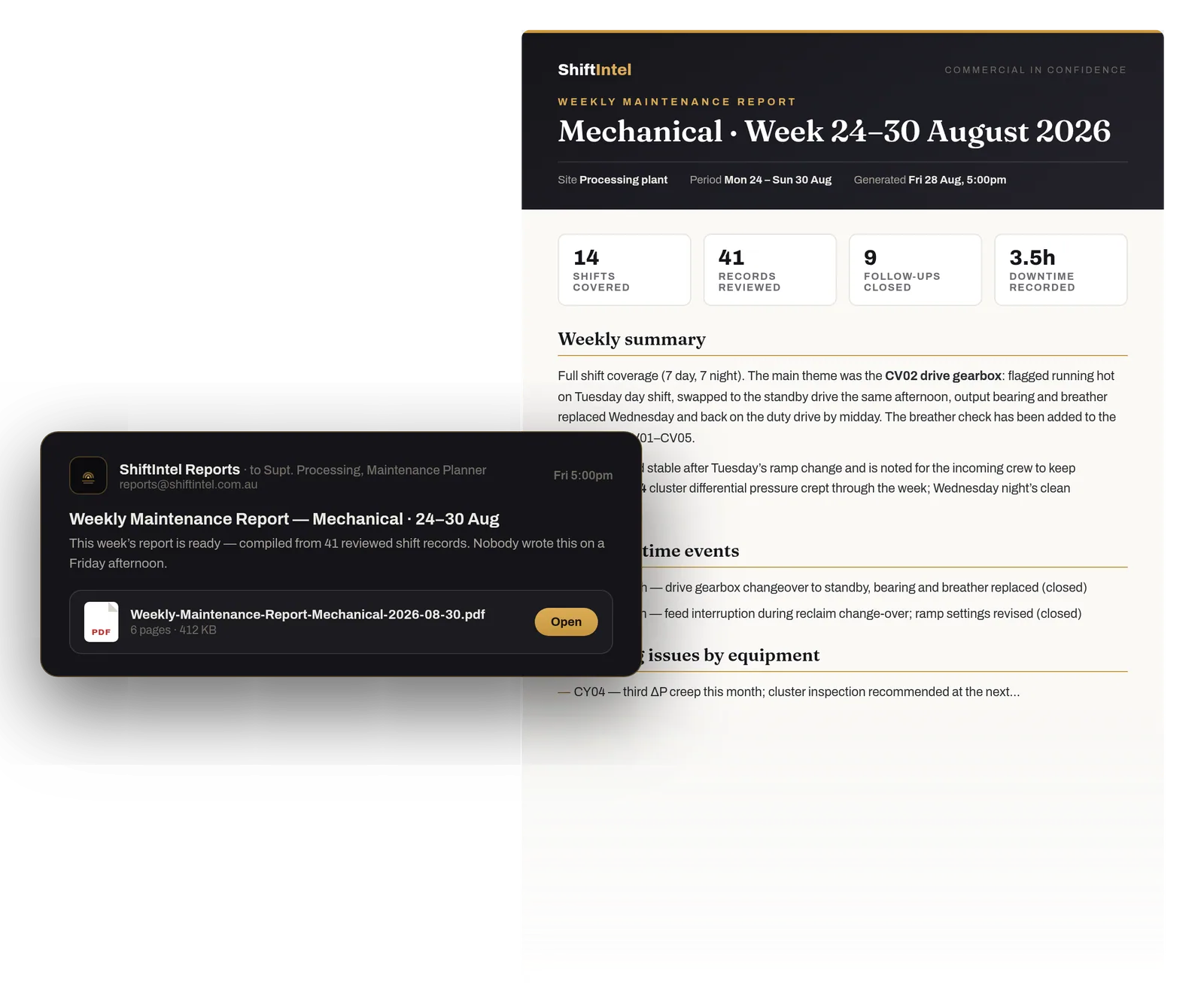
An email from ShiftIntel Reports arriving Friday at 5pm with the Weekly Maintenance Report attached, and page one of the report behind it: weekly summary, key downtime events, recurring issues by equipment

Friday, 5:00pm · the Weekly Maintenance Report, compiled from the week's records · sample document
Kalgoorlie, Western Australia Built by tradespeople — ten years in WA gold processing Live on site across mechanical, electrical and operations crews Data hosted in Australia
Where last night's shift went

Nothing was deleted. Everything was lost.

Every shift, a plant learns something worth keeping — which pump cavitates after a restart, what night shift tried before the fix that worked, which bearing runs hot but is fine. On most sites it's gone by morning, because it went to one of four places.

EXHIBIT A

The notebook

Often the best maintenance record on site, and invisible to everyone but its owner. Last seen in the console of a HiLux at end of swing.

EXHIBIT B

The whiteboard

Good for right now, useless for last month. Wiped clean at 6:00am, every morning, and that week never existed.

EXHIBIT C

The group chat

The fix from March is in there somewhere. Buried four hundred messages ago, under the roster photos.

EXHIBIT D

The spreadsheet

Opened once — by the bloke who built it. He's on R&R.

It's not laziness. It's structure. The record gets written at the worst possible moment: after the fact, from memory, under time pressure.

The difference

Most shift logs are written. ShiftIntel is remembered.

Plenty of tools will let you type up a shift. The question is whether anyone can ever get it back out — at 2:47am, on a different crew, in five years' time.

Most shift logs

Lost.
  • Written at 5:45am, at knock-off, from memory
  • Read by no one after the handover
  • Filed somewhere. Faded.
  • Gone by Friday, when the report gets rebuilt from scratch

ShiftIntel

Remembered.
  • Attached to the plant item, with the priority, the photo and the follow-up flag
  • Searchable in seconds — by asset, by department, by plain-English question
  • Feeds the Schedule 26 handover and the weekly report automatically
  • Still answering questions in five years

The difference isn't how it's written down. It's whether the plant can answer back.

How it works

Log during the shift. Not after it.

Two sentences at 10am beat a paragraph of guesswork at knock-off. Everything downstream — the handover, the report, the answer at 2:47am — is built from what the crew wrote while it was fresh.

01

Shift notes logged

Plain language, under a minute, on any device. Tag the plant item, set a priority, add a photo, flag a follow-up.

02

Supervisor reviews

One review, not a rewrite. Follow-ups get an owner and a due date. Faults get tracked to close-out.

03

Handover & report compiled

The Schedule 26 handover goes Draft → Compiled → Signed → Acknowledged. The weekly PDF builds itself from the same records.

04

Knowledge retained

Plant history per asset. Ask ShiftIntel in plain English. The site keeps the lesson instead of relearning it.

Shift notes logged. Supervisor reviews. Information shared. Knowledge retained. ↻ the next shift starts here
The product · what it leaves behind

Screens are for the demo. The record is the product.

We keep the app itself for the walkthrough. What you're paying for is what stays on site after the bus leaves: a note written mid-shift, a follow-up that got closed, a handover compiled from records. This is what those look like.

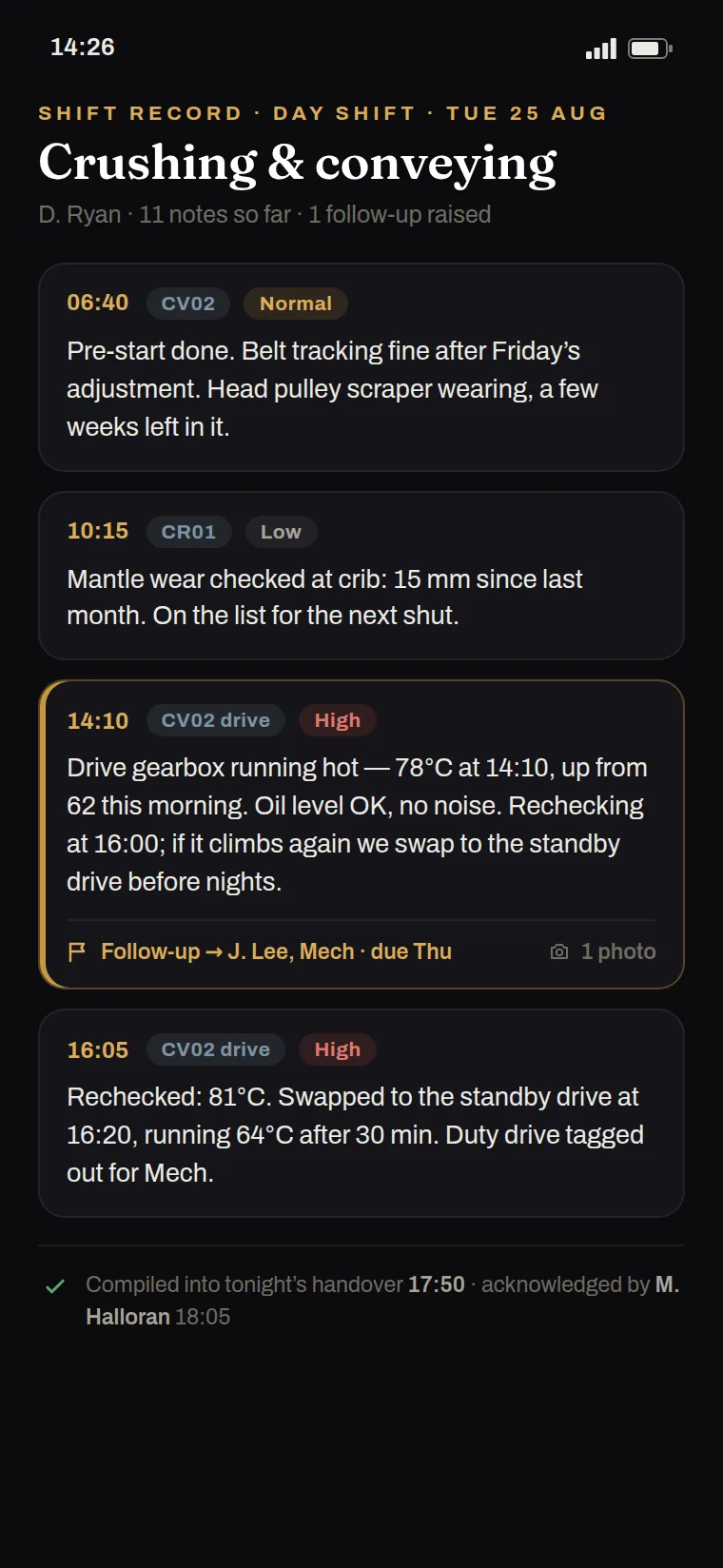
A day shift's record on a phone: four plain-language notes with times, plant items and priorities, one flagged high with a follow-up raised, and a line showing it was compiled into the handover and acknowledged
The shift note. Written at crib, not reconstructed at knock-off. Time, author, plant item and priority come with it. A follow-up flag turns it into someone's job.
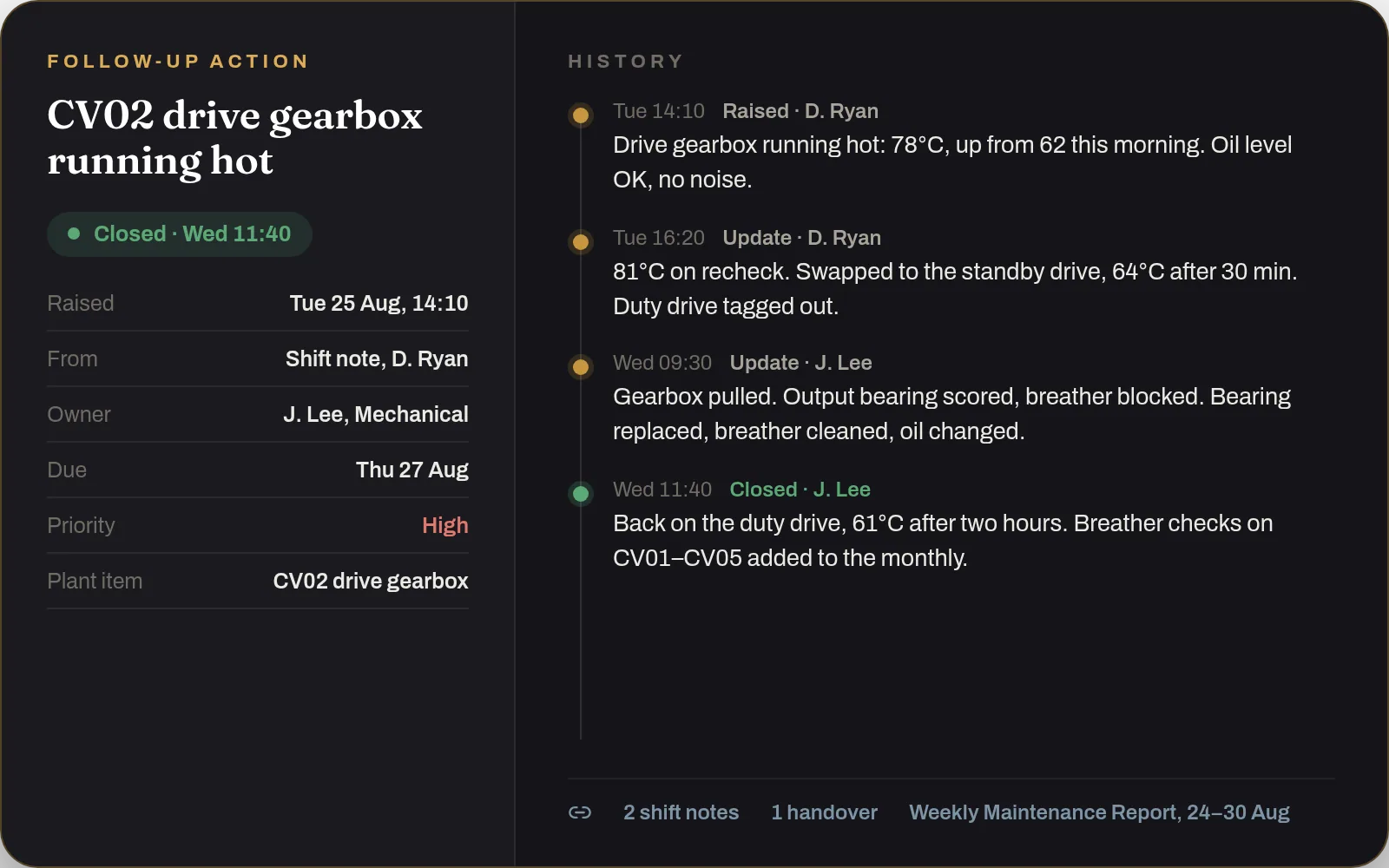
A follow-up action record: CV02 drive gearbox running hot, raised Tuesday from a shift note, owned by a mechanical fitter, due Thursday, with a history from raised to closed
The follow-up. Raised from a note, owned by a name, due on a date. Open, In Progress, Overdue, Closed — with the close-out written down, so the fix is findable next time.
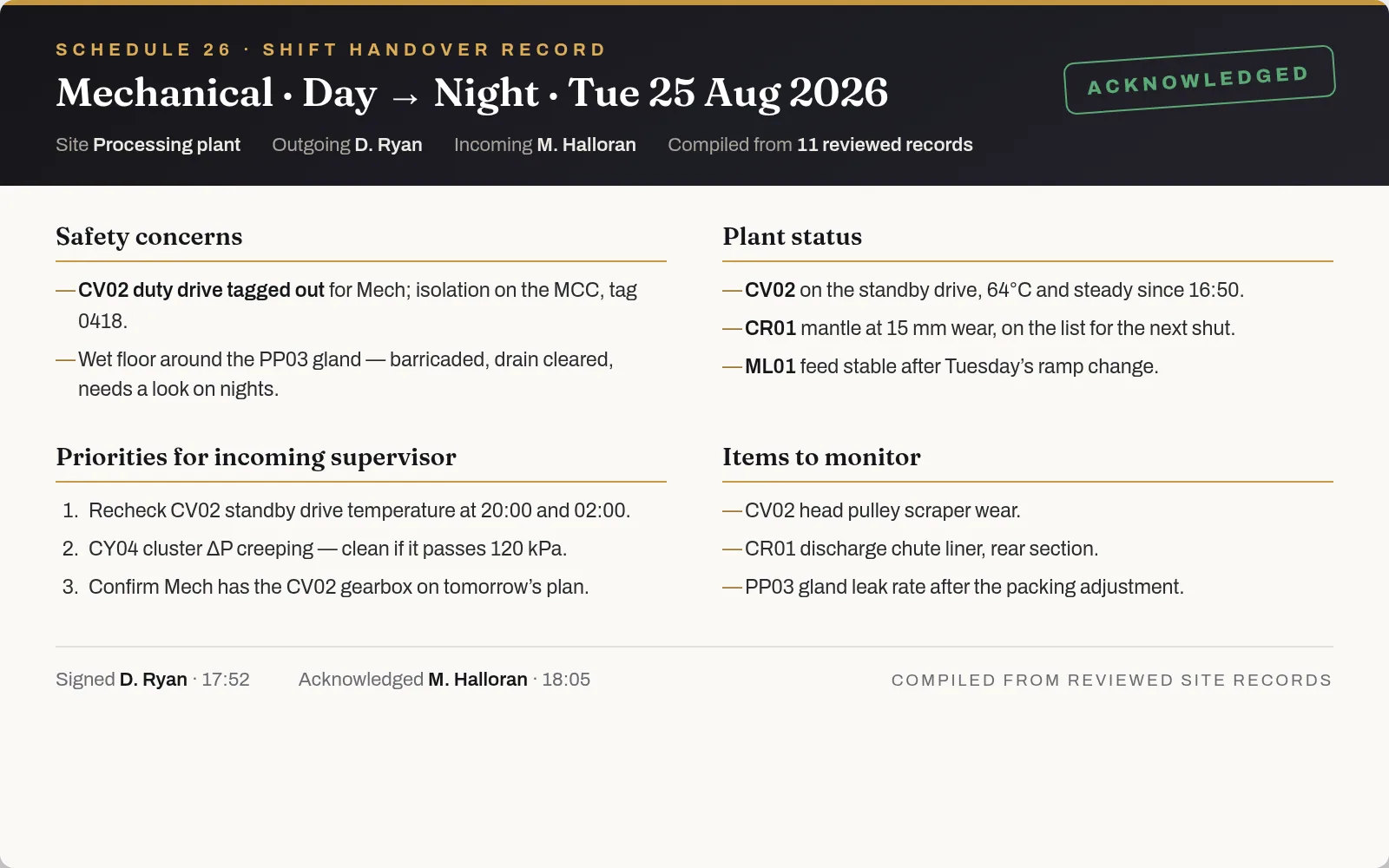
A Schedule 26 shift handover record compiled from reviewed site records: safety concerns, plant status, priorities for the incoming supervisor, items to monitor, signed and acknowledged
The Schedule 26 handover. Compiled from the shift's reviewed records, signed by the outgoing supervisor, acknowledged by the incoming one. Nobody writes it twice.

Sample records, not screenshots. We show the app on a call, not on a public page: book a demo.

Reports

Friday becomes an edit, not an archaeology dig.

Daily, weekly and monthly PDF reports generated from recorded data and delivered by email — organised by department. The Weekly Maintenance Report covers shift coverage, a written weekly summary, key downtime events and recurring issues by equipment, compiled only from reviewed records.

A supervisor reconstructing the week each Friday from memory, texts and the whiteboard spends one to three hours producing a report that's thinner than what actually happened. Here, nobody writes anything twice.

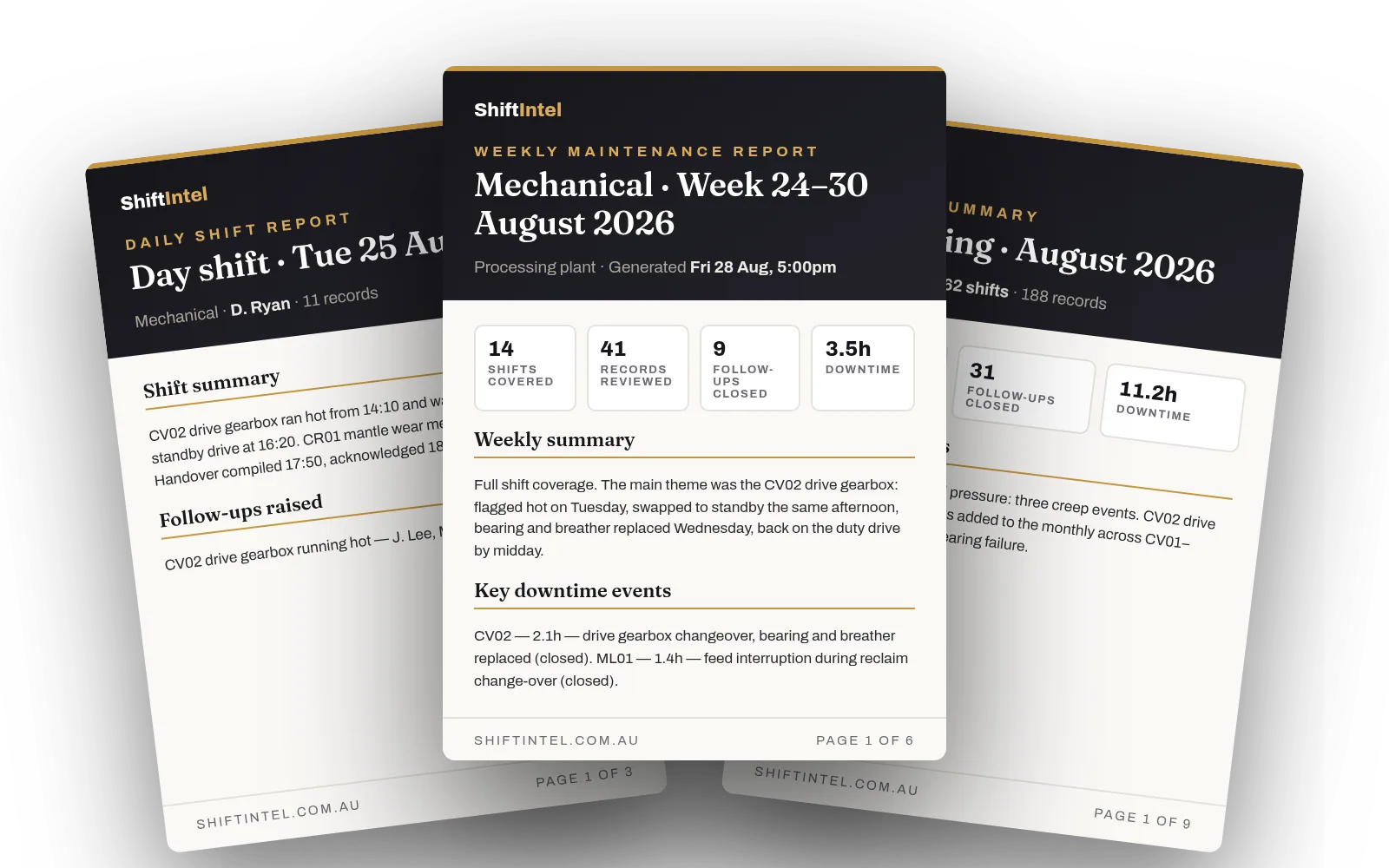
Cover pages of the three generated reports: the Daily Shift Report, the Weekly Maintenance Report and the Monthly Summary

Daily · Weekly · Monthly · generated from recorded data, emailed to the people who need them · sample covers

Built around the plant

Every department logs its own. Everyone reads the same picture.

Each team logs what matters to them, in its own department. Supervisors review their department. Superintendents and managers see the whole site — without chasing a single person for an update.

MechanicalFIXED PLANT
ElectricalFIXED PLANT
OperationsPROCESS
SupervisorsSCHEDULE 26
Gold RoomSECURE
Metallurgy / MetsPROCESS
SuperintendentSITE VIEW
Mine / Site ManagerSITE VIEW
Straight talk

What ShiftIntel is not.

We built this on the tools, so we'll say it the way we'd want to hear it. ShiftIntel supports your people, your procedures and your supervision. It replaces none of them.

No guaranteed-savings claims. No made-up numbers. Just nothing lost.

  • Not a replacement for site controls. Procedures, permits, isolation and supervisor direction stay exactly where they are.
  • Not a diagnosis engine. AI answers come from your recorded site data, with the sources attached — and say so when no records exist.
  • Not live plant telemetry. Plant Running / Plant Down is set by your team, with a downtime timer and a close-out, unless you integrate it later.
  • Not a replacement for your people. It makes what they already know easier to find, keep and hand over.
Start remembering

The best time to start your plant's memory was ten years ago. The second-best is this swing.

Thirty days in your own company and site — your plant items, your users, your data. ShiftIntel can manage the setup. At the end you get a usage and value report, and you decide on evidence, not a demo.